

There are many database tools out there that support Oracle database. Oracle SQL Developer just happens to be the one that is produced and shipped by the same folks that bring you the database product. Several other 3rd party tools out there allow you to have a collection of SQL statements in their editor and execute them without requiring a statement delimiter (usually a semicolon.) Let’s look at a quick example: 895072211696ba9944f612_000000 In some tools,…
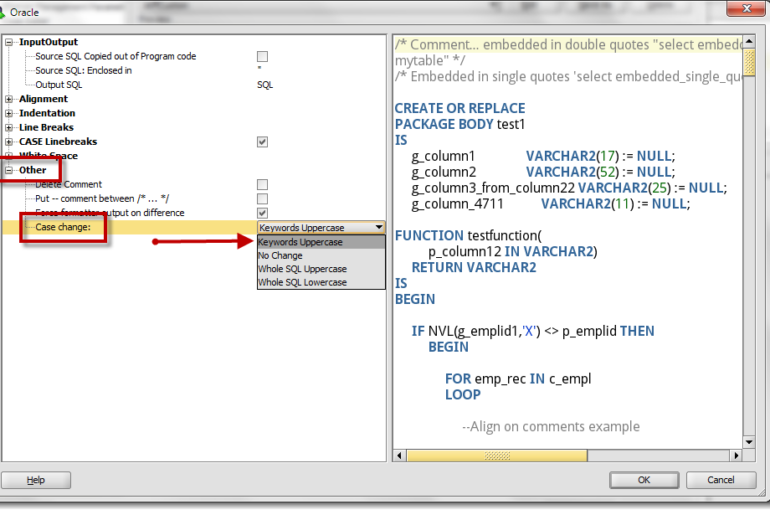
I received this question from a customer today, and it took me more than a few minutes to remember where this preference was located in SQL Developer. This tells me that the topic is ripe for blogging 🙂 How do I go FROM: 895072211696ba9944f612_000001 TO 895072211696ba9944f612_000002 It’s all in the formatting You need to access the formatting preferences under the Tools menu. It takes a bit of navigating to get there, so bear with me:…
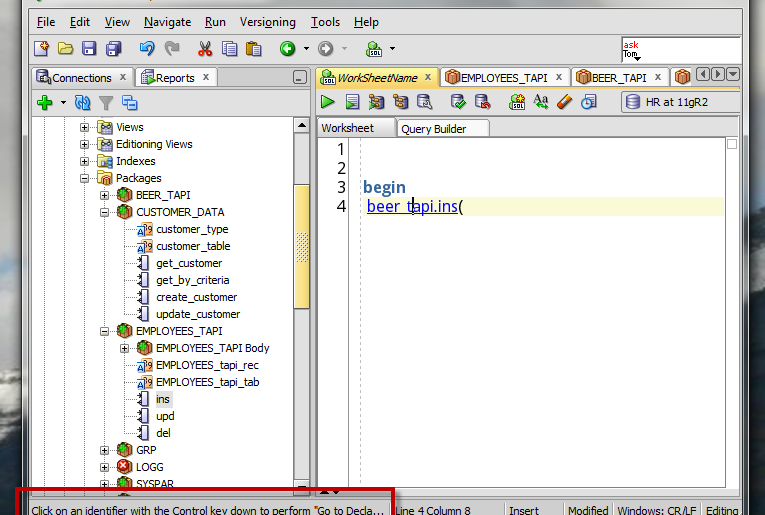
In yesterday’s post I talked about you could use SQL Developer’s Describe (SHIFT+F4) to open a PL/SQL Package at your cursor. If you actually try to describe the package as you see it in the above screenshot, you’ll get an error: I neglected to say in yesterday’s post that I was highlighting the package name before I hit SHIFT+F4. This works just fine, but it will work even better in our next release as we’ve…
If you’re browsing your packages using the Connections panel, you have a nice tree navigator to click around your packages and your variable, procedure, and functions. But What if you drill into your PL/SQL source from the worksheet and don’t have the Tree expanded? Let’s say you’re working on your script, something like – So I need to reacquaint myself with just what my beer package requires, so I’m going to drill into it by…
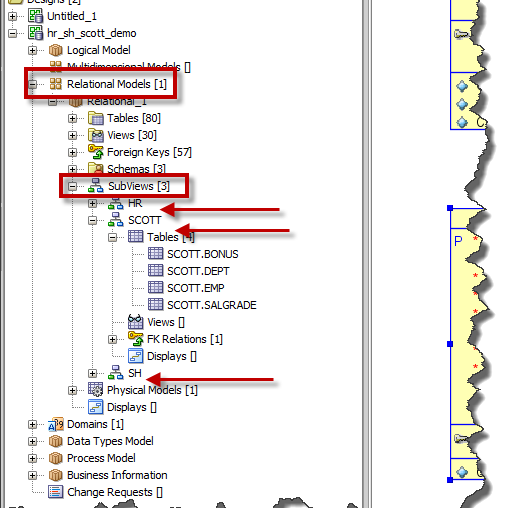
As you may have heard last week, we have a new version of Oracle SQL Developer Data Modeler now available as an Early Adopter release. Version 3.3 has quite a few new features and I’ll be previewing them here. Today’s topic is our new Excel integration. It builds off of last week’s lesson: Search, so you may want to go read that first. They say it takes a village to raise a child. I say…
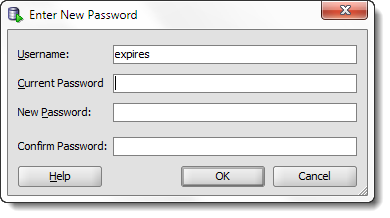
STOP. DO NOT PASS GO – if you do not have version 4.2 of SQL Developer, I suggest going and getting it. It makes this 100% easier. You can see for yourself here. But it’s basically, just right click on your connection, and use ‘Reset Password.’ That’s it. Or watch the movie. When you reset your password with the GUI, we change it in your connection properties, too! You don’t have to update your password…
What keyboard shortcuts should EVERY Oracle SQL Developer user know? How do you find new shortcuts to master, and how do you change them to match ones you’ve already learned in other tools? These are the driving questions for today’s post. While some of us may be keyboard ninjas, and others are more driven to use the mouse – everyone has probably picked up a few strategic keyboard shortcuts over the years. For example, I’ve…

This is another maintenance release, but I don’t want to minimize the work done in either the 3.2.1 or the 3.2.2 editions. The two releases include more than 400 bug fixes. Version 3.2 should be rocking and rolling and good to go while we work on the next major release! You can find the downloads and bug fixes in the normal places: Download 3.2.2 Bug fixes Connection Names If you downloaded and used version 3.2.1…
Apologies for slacking on the blogging front here lately. Still mentally hung over from Open World, and lots of things going on behind the scenes here in Oracle-land. Whilst (love that word) blogging is part of my job, it’s not the ONLY part of my job 🙂 So a super-quick and dirty ‘trick’ this morning. Copying Query Result Record as New Row in Table Copy and paste is something everyone ‘gets.’ I don’t know we…
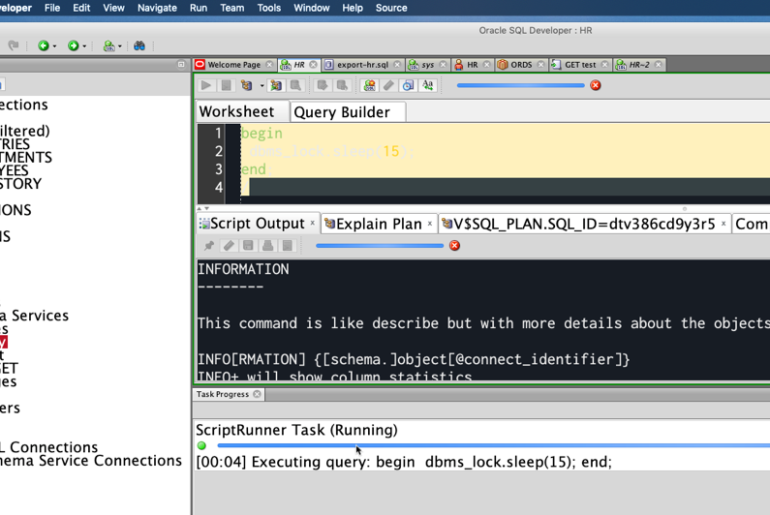
We’ve all been there – you’ve managed to write a query that takes longer than a few seconds to execute. Tuning aside, sometimes it takes longer than you want for a query to run. So what’s a SQL Developer user to do? I say, keep going! While you’re waiting for your query to finish, there’s no reason why you can’t continue on with your work. If you need to execute something else in a worksheet,…